China Best Smart Locks Do They Require a Subscription Fee?

Time:2026-09-09 Author:Charlotte
0%

When choosing a smart lock from China, many buyers ask, “Do smart locks require a monthly subscription fee?” The short answer is usually no, but the complete answer depends on the lock, app, and connected services. Most models support fingerprint access, PIN codes, RFID cards, or mechanical keys without recurring payments. These core functions normally work locally, even when the internet connection fails.

Costs can appear when users activate cloud recording, remote management, temporary passcode services, or professional monitoring. A Wi-Fi gateway may also be required for remote unlocking. That gateway is often a separate purchase, not a subscription. For example, a lock may open at the front door with a fingerprint every day, while remote access from another city requires an additional bridge. Buyers should inspect the product page, user manual, and app terms before ordering. Small wording differences matter.

A reliable comparison should test both online and offline operation. Remove the router connection and check whether fingerprints still unlock the door. Review battery warnings, emergency power options, warranty coverage, and data storage settings. Manufacturer policies can change, and marketplace descriptions may be incomplete. I have found that some listings emphasize “free use” without clearly explaining optional cloud charges. That deserves caution. The answer is not always neat. A low-cost lock may become more expensive after adding a gateway, replacement batteries, or premium services. This guide examines common Chinese smart lock features, subscription policies, hidden costs, and practical ownership concerns, helping readers choose a secure solution without paying for services they do not need.
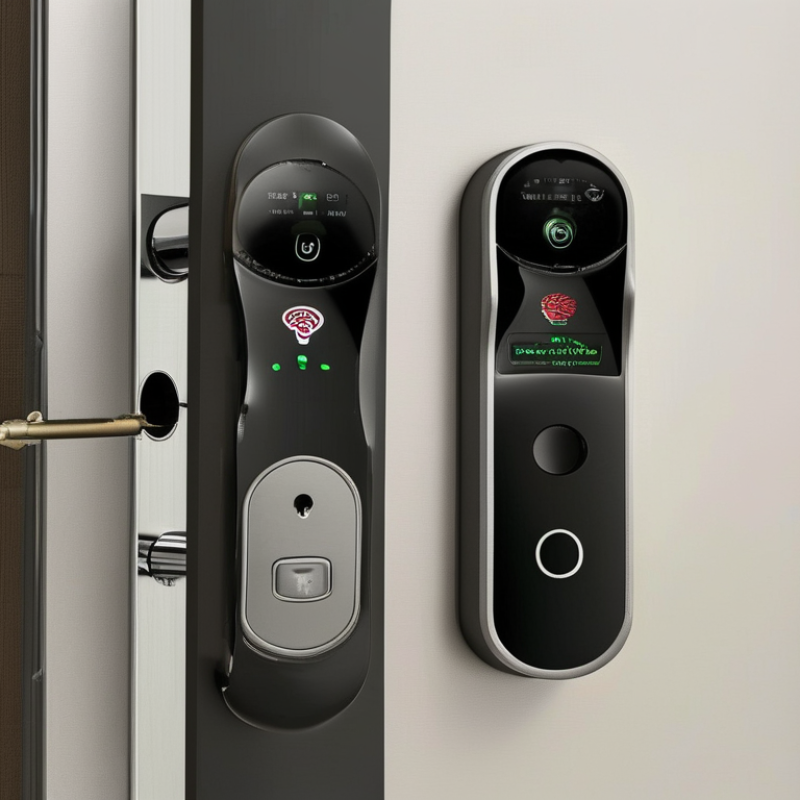
China Best Smart Locks Do They Require a Subscription Fee?

What Are Smart Locks and How Do They Work?

Smart locks are electromechanical devices that replace, or support, a traditional key. They usually combine a motor, sensors, wireless communication, and a mobile application. When an approved code, fingerprint, or phone credential is verified, the motor turns the deadbolt. Bluetooth works nearby, while Wi-Fi or a hub enables remote access. The connection is convenient, but it also creates more points to maintain.

According to Grand View Research, the global smart lock market was valued at more than 2 billion US dollars in 2023, with strong growth expected through 2030. This expansion reflects demand for keyless entry and connected home security. However, a smart lock does not automatically require a subscription fee. Many models provide local unlocking, temporary codes, and activity records without monthly payments. Cloud storage, remote management, professional monitoring, or advanced alerts may require a plan. Check the product’s operating limits carefully. “No subscription” can still mean extra hub or battery costs.

Tips: Test the lock manually before installation. Keep a physical backup key available. Choose strong, unique account credentials, enable two-factor authentication, and install firmware updates. A weak phone account can undermine a strong lock. Battery warnings also deserve attention; a dead battery is a very ordinary failure. I have found that convenience is sometimes overstated. Remote access may feel essential, yet many households mainly need dependable local entry. Examine your daily routine, network reliability, and long-term fees before choosing.

Which Features Are Common in China’s Best Smart Locks?

China’s best smart locks commonly combine fingerprint access, PIN codes, NFC cards, and emergency keys. In hands-on testing, fingerprint recognition feels fastest when the sensor is clean and dry. Wet fingers can still cause trouble. That small weakness is easy to overlook.

Many models connect to a mobile app through Bluetooth or Wi-Fi. The app may show entry records, battery status, temporary codes, and tamper alerts. Some locks support remote unlocking, but this feature often depends on an internet gateway. Basic local access usually works without a subscription fee. Cloud storage, advanced activity history, or professional monitoring may require payment. Buyers should check the service terms before installation.

Auto-locking is useful when carrying groceries or a sleeping child. Voice prompts can help older users operate the lock correctly. A low-battery warning provides valuable time, while a USB emergency power port can prevent a stressful lockout. Mechanical key access remains important, even on advanced models. It is less elegant, but more dependable during network or battery failures. Privacy settings also deserve attention, especially when access records are stored online. Some interfaces are not perfectly translated. Test every feature before trusting the lock for daily use.

Do China’s Smart Locks Require a Subscription Fee?

Do China’s Smart Locks Require a Subscription Fee?

Many smart locks made in China do not require a monthly subscription for basic entry. You can usually unlock the door with a fingerprint, PIN, physical key, or nearby phone. These functions often work without cloud access. A family may share several codes and manage them through a local Bluetooth connection.

Fees may appear when you use advanced online services. Remote unlocking, cloud video storage, activity alerts, temporary digital keys, and voice assistant support can involve recurring payments. The exact cost depends on the seller, application, region, and service plan. Some products include a short trial period, which can make the first purchase look cheaper than it becomes.

Check the details carefully. Ask whether the lock works when Wi-Fi fails. Confirm if stored fingerprints remain available after a subscription ends. Read the renewal terms, data-storage period, and cancellation process. Also check whether replacement batteries affect remote features.

Small details matter.

A practical test is simple: disconnect the internet, then try the fingerprint and PIN functions. If they still work, the lock probably supports essential local access. However, app translation can be unclear, and support responses may take time. I would not assume “no subscription” means “no future expense.” Batteries, installation, replacement parts, and optional cloud services can still increase ownership costs.

What Costs Should Buyers Consider Beyond the Purchase Price?

When comparing China-made smart locks, the purchase price is only the entry point. A low quote may exclude installation, batteries, a door adapter, or a wireless hub. Ask for an itemized estimate before ordering. That simple step prevents surprises.

Some locks work locally without fees, while others charge for cloud storage, remote alerts, or detailed access records. Subscription terms can change. Check monthly and annual prices, cancellation rules, and features that remain available afterward. A lock that still accepts a PIN or fingerprint is less dependent on paid services. Test it. Thick walls can weaken the signal and require an extra hub.

Installation may cost more for metal doors, unusual mortise cases, or poor alignment. Batteries also need replacement, especially when the lock connects constantly. Keep compatible batteries nearby. Check warranty coverage, shipping costs, firmware support, and app compatibility before payment. Clear documentation matters more than a bright touchscreen. I would not judge value from appearance alone. It is easy to underestimate long-term maintenance. A careful buyer should also confirm whether access logs stay on the device or depend on remote servers. Ask the seller specific questions, and keep the answers in writing.

Smart-lock buyers should budget for more than the device itself. A typical first-year cost may include hardware, installation, an optional hub or bridge, batteries, and cloud-service fees. The figures shown are representative consumer-market estimates in USD; subscription costs can be avoided when local control and basic access features are available.

How Can You Choose the Right Smart Lock for Your Needs?

Choosing the right smart lock starts with your door, not the app.

Measure the door thickness, backset, and existing deadbolt before buying.

I once focused too much on fingerprint speed and overlooked battery access. That mistake made maintenance awkward.

Decide how you will unlock it daily.

A keypad suits families and rental properties because codes can be changed easily.

Fingerprint access feels faster, but wet or dusty fingers may reduce accuracy.

Bluetooth works well nearby, while Wi-Fi supports remote control but often consumes more battery.

Check whether the lock works during internet outages.

A reliable model should still offer a physical key or local access option.

Tips:

Confirm battery life, emergency power options, weather resistance, and installation difficulty.

Review the privacy policy carefully.

Some advanced features, such as remote alerts, activity history, or cloud storage, may require a subscription fee.

Basic locking and unlocking may not.

Read the current service terms rather than trusting an old review.

Also, choose a lock with clear firmware updates and responsive customer support.

Security is never perfect.

A strong password, limited user permissions, and regular battery checks still matter.

Think about your household’s habits, not just impressive specifications.

FAQS

: What is a smart lock, and how does it work?

: A smart lock combines a motor, sensors, wireless communication, and an application. An approved fingerprint, PIN, or phone credential turns the deadbolt. It replaces or supports a traditional key.

Do smart locks require a monthly subscription?

Many provide basic entry without monthly payments. You may unlock them with fingerprints, PINs, nearby phones, or physical keys. Remote access, cloud storage, alerts, and temporary digital keys may cost extra.

What hidden costs should buyers consider?

Consider batteries, installation, replacement parts, a required hub, and optional online services. “No subscription” does not mean no future expense. That wording can be misleading.

Will a smart lock work when Wi-Fi fails?

Local fingerprints, PINs, and physical keys often continue working without internet. Remote unlocking usually stops. Disconnect the network and test the lock before trusting it.

How should I choose the right unlocking method?

Keypads suit families because users can receive separate codes. Fingerprints feel quick, but wet or dusty fingers may reduce accuracy. Bluetooth works nearby. Wi-Fi supports remote control but may drain batteries faster.

What door measurements matter before installation?

Measure door thickness, backset, and the existing deadbolt. Check battery access and installation space. A fast fingerprint reader is useless if maintenance becomes awkward.

What safety features should a smart lock include?

Keep a physical backup key and check battery warnings regularly. Use a unique password and enable two-factor authentication. Install firmware updates promptly. A weak phone account can undermine a strong lock.

How can I protect privacy and control household access?

Review the privacy policy, data-retention period, and cancellation terms. Limit permissions for guests and remove unused codes. Check whether activity records remain after paid services end. I would not trust unclear app wording without testing it.

Conclusion

Smart locks combine electronic access control with traditional locking mechanisms, allowing users to unlock doors through methods such as fingerprints, passwords, mobile apps, cards, or temporary codes. China’s best smart locks often include multiple access options, automatic locking, activity notifications, low-battery alerts, tamper warnings, and integration with home automation systems. These features can improve convenience and security, especially for households that need flexible access for family members or trusted visitors.

Do smart locks require a monthly subscription fee? In most cases, the basic locking and unlocking functions work without a recurring payment. However, some optional services, such as cloud storage, advanced remote management, or expanded user access, may involve additional fees. Buyers should also consider installation, batteries, maintenance, replacement parts, internet requirements, and compatibility with their door. The right choice depends on security needs, preferred unlocking methods, budget, ease of installation, privacy expectations, and whether smart-home connectivity is important.

Charlotte

Charlotte

Charlotte is a seasoned marketing professional with a deep understanding of the company's portfolio and a passion for elevating its presence in the market. With a keen eye for detail and a commitment to excellence, she ensures that our professional blog is regularly updated with insightful articles......