When comparing China’s top 10 smart locks, battery life deserves more than a glance at the product box. The question “How long do smart lock batteries usually last” has no single answer: many models run for several months to about a year, but real-world results depend on usage, battery type, connectivity, and temperature. A lock opened dozens of times each day may drain faster than one used occasionally. Weak Wi-Fi or Bluetooth connections can also make some models work harder.
“Battery life depends on how often the lock works and how well it stays connected,” is a practical reminder from smart-lock service professionals. This is a general industry takeaway, not a verified quotation from a named expert. For a trustworthy comparison, check each manufacturer’s battery-life conditions and low-battery warning features. Then consider your own routine: a busy family entrance, a cold exterior door, or frequent keypad use can change the results.
Small details matter. A warning light may appear weeks before power runs out, while an emergency power option can offer extra reassurance. Still, advertised estimates are not promises. The comparison ahead looks at battery claims, power features, and everyday considerations across ten smart locks. Real usage may differ—and that uncertainty is worth keeping in view.
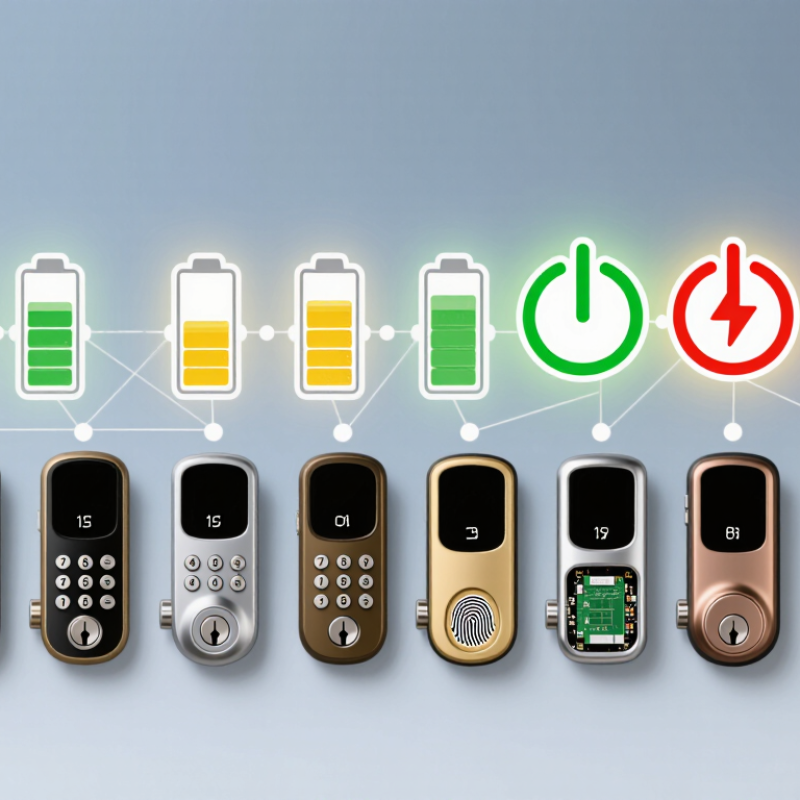
Battery chemistry determines more than runtime; it affects voltage stability, cold-weather behavior, and warning time.
IEC 60086-2:2021 classifies LR6 alkaline AA cells at a nominal 1.5 volts. IEC 61951-2:2017 specifies rechargeable NiMH cells, commonly rated at 1.2 volts. That difference matters: some locks may show a low-battery warning sooner with NiMH cells, or may not support them at all. Check the lock’s rated input before swapping chemistries.
Many smart locks use several AA cells in series. Four 1.5-volt cells provide 6 volts, while capacity does not multiply in the same way. Alkaline cells suit steady, moderate use; primary lithium cells may perform more consistently in cold entryways, if the lock permits them.
Rechargeable cells reduce disposable-battery waste, but their lower voltage can complicate charge readings. A small motor also draws brief bursts when the bolt meets a tight strike plate. Wi-Fi activity, repeated locking, and low temperatures can shorten service life.
Bluetooth connections generally use less energy than persistent Wi-Fi links, but the actual difference varies by design. Treat any quoted runtime as an estimate, not a promise. A slightly misaligned door can drain cells faster than expected.
Across China’s leading smart-lock models, published battery-life estimates commonly fall between six and twelve months. Treat that as a planning range, not a guarantee. Many estimates assume moderate daily use and fresh alkaline batteries. A busy apartment entrance, repeated keypad attempts, or frequent motor operation can shorten the interval. Cold weather can also reduce battery performance.
IEC 60086-1:2021 sets test methods for primary batteries, but laboratory results do not reproduce every household’s unlocking pattern. That matters. A lock that opens 20 times daily may behave differently from one used only a few times. Wi-Fi connections, weak signals, and repeated alerts can add further drain, depending on the design.
Check the low-battery warning, and keep a dated note of each battery change. It is a simple check, but easy to neglect.
Battery-life figures are useful for comparing models; they are not a substitute for observing the lock at home. The gap between a quoted estimate and real use can be frustrating.
Smart-lock battery life depends on more than the batteries inside the door. A household that unlocks the door ten times daily may use power differently from one with frequent deliveries, visitors, and repeated keypad attempts. Each motorized bolt movement draws energy, especially if the door is misaligned and the motor has to push against the frame. Listen for a strained whir. That small sound can matter.
Connectivity and settings also shape daily consumption. A lock that stays connected to a nearby hub or network may use more power than one with fewer active features. Frequent remote checks, illuminated keypads, and repeated alerts can add to the load. Cold weather can reduce battery performance, too, though the effect varies by battery type and installation conditions. There is no dependable single lifespan for every home.
Track usage for a few weeks. Note the installation date, daily traffic, and any low-battery warnings; compare these with the lock’s manual, not a general online estimate. Replace batteries as a complete set, using the type specified by the manufacturer. If power drops sooner than expected, check bolt alignment and signal strength before assuming the lock is faulty. I have seen careful tracking help, but it is still only an estimate.
Smart-lock battery life depends less on the keypad’s appearance than on how often its radio, motor, and sensors wake. AA alkaline-cell technical datasheets commonly show roughly 2,500–3,000 mAh under low-drain laboratory tests. That is a reference point, not a runtime promise. A bolt repeatedly rubbing against a misaligned strike plate needs more motor power than one that turns freely. Cold entryways can also reduce usable battery capacity, while frequent keypad presses add repeated small loads. Tiny details matter.
Convenience features can increase power use. Wi-Fi connections generally need more radio activity than low-duty-cycle Bluetooth connections. Remote status checks, illuminated keypads, fingerprint sensors, and loud alerts can keep components awake longer. Auto-lock timers set too tightly may cycle the motor many extra times each day. Sleep schedules and low-battery alerts help, but they cannot fix mechanical drag. For a practical estimate, record daily unlocks and check battery voltage over several weeks. That estimate can still mislead: voltage does not fall evenly, and usage changes with guests or weather. Treat published battery-life figures as test-condition results, not guarantees.
Estimated battery life by usage pattern
These ranges are general estimates, not guarantees for any specific lock. Frequent locking cycles, Wi-Fi and remote-access activity, cold temperatures, and weak wireless signals can shorten battery life. Lower usage and Bluetooth-only connectivity may help extend it. Actual results depend on the lock, battery type, settings, and environment.
Battery alerts are useful only when they reach you in time. Many smart locks flash a light, beep, or send a phone notification as power falls. Check the lock’s app and test notifications after setup. A dead phone, weak Wi-Fi, or muted alert can hide the warning. It happens.
Treat the first low-battery signal as a prompt to act, not a precise countdown. Battery life varies with temperature, lock activity, and battery type. Keep compatible replacements at home, and follow the manual’s instructions for size and polarity. Replace all batteries together; mixing old and new cells can cause unreliable power. Wipe the contacts gently with a dry cloth if they look dusty. Avoid forcing the cover.
If the batteries fail while you are outside, some models support temporary emergency power through exterior contacts or a USB port. The method differs by model, so check the manual before an urgent moment. A physical key may be available on some locks; keep it somewhere accessible but secure. Don’t assume every lock has one. Test the backup method calmly, with the door open, if the instructions allow it. That small check can reveal a detail you missed.
Published estimates commonly range from six to twelve months. Real use can differ.
Frequent unlocking, repeated keypad attempts, and extra motor cycles use more power. Cold weather can shorten battery life, too.
They can. Frequent remote checks and weak signals may keep the radio active longer.
Yes. A bolt rubbing against the strike plate needs extra motor power. Check whether the bolt turns freely.
They offer a comparison, not a promise. A busy entrance is different.
Note the date of each change and check the low-battery warning. A small paper note near the door works.
They may, especially when they activate often. Sleep settings can help, but cannot fix mechanical drag.
Only imperfectly. Voltage does not fall evenly, and guests or weather can change usage. I might still forget to check it.
This article explains how battery systems work in smart locks and what owners can generally expect from different power setups. How long do smart lock batteries usually last depends on battery type, lock design, installation, and daily use; many models may run for several months or longer before needing replacement. Frequent unlocking, high traffic, motor activity, and repeated use of connected features can shorten battery life, while efficient settings and lighter use may help extend it.
The article also describes features that affect power consumption, including wireless connectivity, automatic locking, keypad use, and alerts. Readers will learn how to recognize low-battery warnings, replace batteries safely, and prepare for emergency power options if the main batteries run out. These practical factors offer a useful way to compare typical battery expectations across smart locks without treating any estimate as guaranteed.

Wipan Lock