Choosing the right smart lock can be overwhelming. Understanding the technology behind them is crucial. Bluetooth and Wi-Fi smart locks offer unique benefits and limitations. What is the difference between Bluetooth and Wi-Fi smart locks? This question can guide you toward the best choice for your home.
Bluetooth smart locks generally operate within a limited range. They rely on your smartphone to connect. This can be a benefit if you want a more localized solution. However, it may not work if you are too far away. On the other hand, Wi-Fi smart locks connect directly to your home network. This allows remote access from anywhere with an internet connection.
Both options have their advantages. Bluetooth locks typically offer ease of use and lower battery consumption. However, Wi-Fi locks excel in accessibility and integration with smart home systems. It's important to weigh these factors carefully. The right choice hinges on your lifestyle and security needs. Reflect on how often you need remote access versus local control.
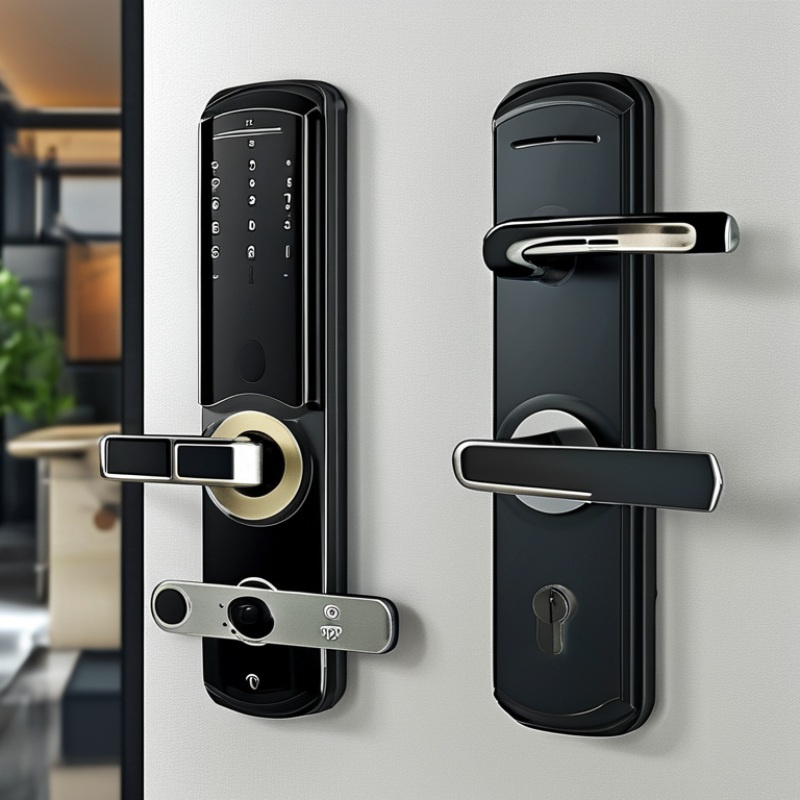
Bluetooth and Wi-Fi technologies are key components in the design of smart locks. Understanding these technologies can help users make informed decisions. Bluetooth locks typically offer easy installation. They connect directly to smartphones, which makes them user-friendly. However, their range is limited. Reports show that Bluetooth ranges can extend up to 100 meters outdoors, but this decreases in buildings due to interference.
In contrast, Wi-Fi smart locks provide broader coverage. They connect to your home network, allowing remote access from anywhere. According to research, about 30% of smart lock users prioritize remote access features. Wi-Fi locks often require more complex installation and can consume more battery. Some experts note that the always-on nature of Wi-Fi connections affects battery life, signaling a trade-off between convenience and longevity.
Security must also be considered. Bluetooth locks often use low-energy protocols, making them harder to hack. Wi-Fi locks may face more vulnerabilities due to online connectivity. A report from a leading cybersecurity firm suggests that 25% of smart locks tested had security flaws. Users need to understand these trade-offs before selecting the right lock.
When considering smart locks, Bluetooth and Wi-Fi models offer distinct features. Bluetooth smart locks usually work within a limited range. They connect directly to your phone via Bluetooth technology. This means you can unlock your door without an internet connection. However, its range can be limiting. If you’re not close to the door, it may not work.
On the other hand, Wi-Fi smart locks require an internet connection. They allow remote access from anywhere. This feature is beneficial if you want to grant access to guests while away. However, Wi-Fi locks often rely on your home network, making them potentially vulnerable to hacks. Their battery life might also suffer due to constant connectivity.
Both types bring convenience, but they present different challenges. If you prefer simplicity and security in a limited area, Bluetooth might suit you. Yet, if remote control is your priority, consider Wi-Fi options. Weighing these intricacies helps you make a necessary choice for your smart home security.
| Feature | Bluetooth Smart Locks | Wi-Fi Smart Locks |
|---|---|---|
| Connection Range | Up to 100 feet | Unlimited range (dependent on Wi-Fi network) |
| Remote Access | Limited (typically requires being within range) | Yes, access from anywhere with internet |
| Installation | Usually easier, often doesn't require professional installation | May require more complex installation due to networking |
| Battery Life | Longer (typically 1-2 years) | Shorter (depends on Wi-Fi activity) |
| Security | Secure, generally uses AES encryption | Secure, but can be vulnerable to hacking if network is compromised |
| Integration with Smart Home Systems | Limited, often requires a special hub | Widely compatible with various systems |
| User Management | Basic management features | Advanced user management options available |
When considering smart locks, security takes center stage, particularly the vulnerabilities associated with Bluetooth and Wi-Fi technologies. Bluetooth locks often rely on short-range communication. This limitation can reduce hacking risks. However, the convenience of connecting your smartphone can also introduce vulnerabilities. For instance, if your phone is stolen, it might allow unauthorized access unless safeguards are in place.
In contrast, Wi-Fi smart locks connect to your home network. This connectivity provides remote access, allowing users to monitor locks from anywhere. However, it also exposes the lock to potential cyber threats. A compromised Wi-Fi network could grant hackers the ability to control your lock. It’s crucial to ensure your Wi-Fi security is robust, utilizing strong passwords and regular firmware updates. Despite these protections, the ease of connecting Wi-Fi locks can lead to complacency, presenting an ongoing risk.
Ultimately, choosing between Bluetooth and Wi-Fi smart locks requires evaluating your personal security environment. Both options have inherent vulnerabilities. It’s essential to balance convenience with security. Regularly reviewing your lock’s security features can help identify potential weaknesses. Be mindful of your specific needs and the latest security protocols in place.
When deciding between Bluetooth and Wi-Fi smart locks, cost is a significant factor for homeowners. Bluetooth smart locks often come with a lower price tag. They are generally easier to install and don't require additional wiring. However, their range is limited. If you are outside the vicinity of your home, connecting could be challenging. Wi-Fi smart locks can be more expensive. They offer remote access from anywhere. This feature can justify the investment for many homeowners.
When considering these options, don't forget about installation costs. Professional installations can increase your overall expenses. Search for user-friendly models that allow you to do it yourself. Always read reviews to compare long-term value, beyond the initial purchase price.
**Tips**: Evaluate your daily routines. If you're often away from home, a Wi-Fi lock may be worth it. Look at energy consumption as well. Wi-Fi models may use more power, which can add to your monthly bills. Balancing convenience and cost is key. Make a detailed list of your needs. This will help you choose wisely.
When choosing between Bluetooth and Wi-Fi smart locks, user experience is crucial. Bluetooth locks often offer a simpler installation process. You can usually install them in minutes without complex setups. They connect directly to your smartphone, allowing for quick access. Yet, some users find the range limiting. If you go too far from the lock, it may not respond. This can frustrate those who want seamless access.
Wi-Fi locks connect to your home network, providing greater range and remote access. Setting them up might take longer, and you may need to deal with additional settings. Some find this technical process daunting. However, the benefit is clear: you can unlock your door from anywhere. Imagine forgetting to lock up and being able to secure your home right from your phone.
Yet, one drawback is that if your Wi-Fi goes down, so does your lock’s functionality.
Choosing the type of lock involves considering both ease of use and the level of access that fits your life.
: The main technologies in smart locks are Bluetooth and Wi-Fi. They influence ease of use and security.
Bluetooth locks connect directly to smartphones. They are user-friendly and easy to install at home.
Bluetooth locks can reach up to 100 meters outdoors. However, their range decreases in buildings due to interference.
Wi-Fi locks provide remote access from anywhere. They connect to your home network for broader coverage.
Yes, Wi-Fi locks often require more complex installation. This can add to the overall effort when setting up.
The always-on nature of Wi-Fi can drain battery faster. Users must consider this trade-off for convenience.
Bluetooth locks are generally secure, but stolen phones may allow unauthorized access if not properly safeguarded.
Yes, Wi-Fi locks can face more cyber threats. A compromised network might let hackers control your lock.
Use strong passwords and regularly update firmware. These steps can help protect against potential cyber threats.
Evaluate your security needs. Balance convenience with security features for both Bluetooth and Wi-Fi options.
When deciding on a smart lock, homeowners often ask, "What is the difference between Bluetooth and Wi-Fi smart locks?" Both technologies offer unique features and benefits tailored to various needs. Bluetooth smart locks provide easy installation and user-friendly operations, making them ideal for those who prioritize convenience and straightforward functionality. However, their range is limited to the proximity of the user's smartphone.
On the other hand, Wi-Fi smart locks enable remote access and monitoring, allowing users to control their locks from anywhere with internet connectivity. Security considerations highlight that while both options have vulnerabilities, Wi-Fi locks can present higher risks due to their internet reliance. Cost analysis shows that Bluetooth locks are generally more budget-friendly, whereas Wi-Fi locks may come with a higher price tag due to their capabilities. Ultimately, the choice between Bluetooth and Wi-Fi smart locks depends on individual preferences regarding security, cost, and ease of use.

Wipan Lock