How to Choose Smart Locks for Commercial Offices in 2026?

Time:2026-09-29 Author:Sienna
0%

Choosing a smart lock for a commercial office is not simply a technology purchase. It is a decision about security, staff movement, visitor access, and daily continuity. A reliable system should protect sensitive rooms without slowing employees at the reception desk. It should also support access cards, mobile credentials, PINs, or biometric options when appropriate. The best choice depends on the building, the users, and the risks.

This guide explores How to choose the right smart lock for commercial offices in 2026. It considers installation conditions, cloud management, audit trails, emergency access, battery performance, and integration with existing access control systems. A glass office door needs different hardware from a steel server-room door. A busy coworking space also has different requirements from a private accounting firm. Experience from real office environments shows that convenience often becomes the weakest point. Employees may share credentials, ignore low-battery warnings, or leave doors unsecured. That reality deserves attention.

Professional advice should be supported by manufacturer specifications, independent testing, and qualified installation guidance. Security claims should not be accepted without evidence. Some advanced features sound impressive but add cost without solving a real problem. This guide will compare practical options and highlight limitations openly. No lock is perfect. Strong security still depends on thoughtful policies, maintenance, staff training, and regular review. Small oversights can become expensive problems.
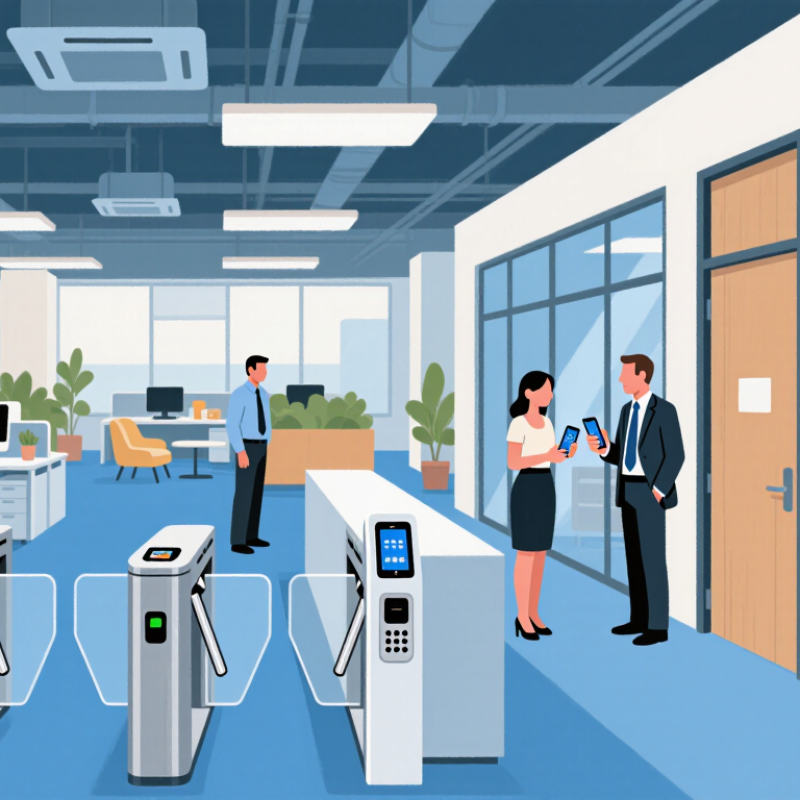
How to Choose Smart Locks for Commercial Offices in 2026?

Define Office Access Needs Using NIST SP 800-63B Assurance Levels

Choosing commercial smart locks in 2026 should begin with access assurance, not hardware appearance. NIST SP 800-63B defines three Authentication Assurance Levels. AAL1 suits low-risk areas, such as storage rooms with limited impact. AAL2 requires two distinct factors and fits general office entrances. AAL3 adds phishing-resistant authentication and hardware-protected keys for sensitive rooms.

Map each door to its real business risk. A reception entrance may need AAL2 with a badge and mobile confirmation. A server room or executive records room may justify AAL3. This prevents expensive security controls from spreading everywhere. It also avoids weak, one-size-fits-all planning.

A badge-only door may feel efficient. That assumption deserves testing.

The Verizon 2024 Data Breach Investigations Report found that the human element appeared in 68% of breaches. Access policies should therefore address lost credentials, visitor handling, and shared doors. IBM’s Cost of a Data Breach Report 2024 placed the global average breach cost at 4.88 million dollars. Physical access is only one control, but it can reduce exposure when identity checks are consistent. Require audit logs, rapid credential revocation, and offline operation during network failures. No assurance level removes human error. Staff may still hold doors open, and administrators may configure exceptions poorly. Review those weaknesses during pilot testing.

Compare Smart Lock Risks Against Verizon DBIR’s 22% Credential-Abuse Rate

Choosing smart locks for commercial offices in 2026 requires more than checking battery life or installation costs. The 2024 Verizon Data Breach Investigations Report analyzed 30,458 incidents and 10,626 confirmed breaches. Credential abuse represented 22% of leading initial-access methods. A stolen administrator password can therefore threaten doors, dashboards, and employee records simultaneously.

Choose systems with unique user identities, phishing-resistant administrator authentication, rapid credential revocation, and tamper alerts. NIST SP 800-63B recommends rate-limiting failed authentication attempts and strengthening authenticator protection. Apply those controls to lock management accounts, not only office applications. Test whether access logs show the person, device, time, and door clearly. Shared PINs remain convenient, but they weaken accountability. Very convenient.

Physical testing also matters. A lock may survive normal use but fail during a network outage, low battery, or emergency evacuation. Keep a controlled mechanical override, document its custody, and review every use. The 2024 Data Breach Investigations Report found that the human element remained involved in 68% of breaches, including mistakes and misuse. That figure should challenge optimistic installation plans. Staff may reuse codes, ignore alerts, or leave a door propped open. Pilot the system on one floor, inspect logs weekly, and revise policies after real incidents. Perfect security is unlikely. Poor review is optional.

How to Choose Smart Locks for Commercial Offices in 2026? - Compare Smart Lock Risks Against Verizon DBIR’s 22% Credential-Abuse Rate

Decision Area Risk to Assess Evidence or Fact Practical Selection Guidance
Credential security Stolen, guessed, reused, or shared credentials may be used to gain access. The 2025 Data Breach Investigations Report attributed 22% of initial-access cases to credential abuse across its broader breach dataset. This is not a smart-lock-specific rate. Prioritize unique, revocable credentials; require multi-factor authentication for administrative accounts; and make lost cards or mobile credentials easy to disable.
Authentication options A single factor, such as a PIN or access card, can be exposed or shared. NIST digital identity guidance describes stronger authentication options, including multi-factor authentication, for reducing reliance on a single secret. Check whether the system supports stronger verification for administrators and sensitive areas. Do not treat a PIN, card, or phone credential as automatically phishing-resistant.
Administrative access Compromised administrator accounts can enable broad changes to users, permissions, and lock settings. Access-control systems commonly include management functions that can affect multiple doors; the impact depends on the system’s permissions and configuration. Look for role-based permissions, separate administrator accounts, audit logs, and prompt removal of access when staff or contractors leave.
Network and remote management Internet-connected management introduces exposure beyond the physical door. Remote administration depends on the security of the full connection path, including administrator devices, network controls, and the access platform. Ask how remote access is protected, whether management can be restricted to approved networks, and how security updates are delivered. Prefer documented update and vulnerability-handling processes.
Power or connectivity outage A failure may affect entry, exit, or the ability to verify access events. Offline behavior varies by lock design, credential type, power source, and configuration; it cannot be inferred from the term “smart lock.” Test the documented fail-safe or fail-secure behavior, backup power, emergency egress, and offline credential handling against building and fire-safety requirements.
Audit and incident response Incomplete records can make suspicious access or configuration changes harder to investigate. Event detail and retention depend on the specific system, settings, and storage arrangement. Confirm which events are logged, how timestamps are maintained, who can export records, and how long logs can be retained under your organization’s policies.
Physical security and certification Strong digital controls do not compensate for a weak door, unsuitable hardware, or poor installation. Mechanical durability, fire-door suitability, electronic access control, and cybersecurity are distinct considerations. Verify compatibility with the door and egress design, relevant local code requirements, and applicable hardware certifications. Assess cyber controls separately from mechanical ratings.

How to interpret the 22% figure: It is a broad breach-data benchmark for credential abuse as an initial-access vector, not a measured probability that a particular office smart lock will be compromised. Use it to motivate credential controls, then assess each lock system’s actual architecture and configuration.

Specify ANSI/BHMA Grades and UL 294 for Commercial Door Security

For commercial offices in 2026, choose a lock by door use, not appearance. ANSI/BHMA grades help compare durability and performance under defined tests. Grade 1 is generally suited to demanding, high-use openings; Grade 2 may fit many standard office doors. Grade 3 is typically for lighter-duty applications. Confirm the applicable standard for the specific lock type, since grades are not interchangeable across every product category.

Consider a lobby door used hundreds of times daily, compared with a storage-room door opened only occasionally. The lobby may need a higher-duty lock, while the storage room may not. Then assess the access-control system against UL 294, which covers access-control system units. Check that the relevant components, such as the controller and power supply, have appropriate certification. A certified component alone does not prove that the whole installed system is suitable. This distinction is easy to miss.

Tips: Match the grade to traffic and door function. Verify UL 294 documentation for the equipment in scope, and check how the system behaves during power loss. Coordinate electronic locks with egress and fire-door requirements. A specification can look neat on paper, yet still overlook daily use; review the actual door and its hardware before ordering.

How to Choose Smart Locks for Commercial Offices in 2026

Compare ANSI/BHMA lock grades by tested cycle durability, then check UL 294 for access-control system requirements.

ANSI/BHMA cycle figures shown are commonly specified benchmarks for lock grades; a higher grade is not a substitute for checking the complete hardware specification and door application. UL 294 applies to access-control system units and evaluates requirements beyond lock-cycle durability, so confirm that the relevant electronic access-control equipment is UL 294 compliant where required.

Evaluate Cloud, Mobile, and Offline Access Against 99.9% Uptime Targets

A 99.9% uptime target sounds precise, but it allows roughly 43 minutes of service interruption in a 30-day month. Define what “uptime” means: cloud dashboard availability alone does not prove that a door will unlock when staff arrive. Check the full path, including the office network, identity service, mobile credential, and lock. Ask vendors for incident history and test results, not just a service-level promise.

Cloud access makes permissions easier to update across multiple floors, but it depends on reliable connectivity. Mobile credentials can reduce queues at reception; test them with drained phone batteries, weak signals, and staff who change devices. Offline access matters. Confirm that approved credentials still work during an internet outage, and learn how quickly access logs sync after service returns. A battery-backed network switch may help, though it cannot fix every failure. Set clear rules for emergency entry and lost phones. Then run a timed outage drill, including a reader, a corridor door, and the people responsible for access. The weak point may be an overlooked network closet. Uptime targets are useful, but they do not replace checking how the system fails in real conditions.

Calculate Total Cost Using IBM’s 2024 $4.88 Million Breach-Cost Benchmark

Choosing smart locks for a commercial office should begin with breach exposure, not hardware price.

The 2024 Cost of a Data Breach Report used a $4.88 million global average breach cost. Treat it as a planning benchmark, not a guaranteed outcome. For example, a 200-person office may spend $18,000 on installation and $7,000 yearly on support. Over four years, the direct cost reaches $46,000. Add training, downtime, investigation, and legal review. A small access failure can become financially serious.

The 2024 Data Breach Investigations Report found human involvement in 68% of breaches. Therefore, select locks with role-based permissions, multi-factor authentication, instant credential removal, and detailed entry logs. Test whether logs remain available during a network outage. Also measure the time needed to revoke access after staff changes. A cheap lock can create expensive blind spots. Security math is never perfect. That is worth admitting.

Tips: Walk through a real employee departure before signing a contract. Record how quickly one credential disappears. Request five-year pricing, including batteries, gateways, software, maintenance, and replacement cards. Compare that figure with a conservative loss estimate, such as a 1% annual breach probability multiplied by $4.88 million. This equals $48,800 in annual expected exposure. The assumption may be weak, but documenting it improves review quality. Use independent penetration testing and keep a mechanical fallback for emergencies.

FAQS

Why can smart lock administrator accounts create serious office risks?

One stolen administrator password may affect doors, dashboards, and employee records. Use separate user identities and stronger administrator authentication. Shared passwords are convenient, but accountability suffers.

What should access logs record?

Logs should identify the person, device, time, and door. Review them weekly. Missing details can hide misuse.

How should offices prepare for lost credentials or suspicious activity?

Revoke credentials quickly and activate tamper alerts. Limit repeated failed login attempts. Test removal during a real staff-change scenario.

How should a commercial lock match the door’s daily use?

Match durability to traffic and door function. A busy lobby may need a higher-duty lock than a quiet storage room. Appearance is not enough.

What should offices check during power or network failures?

Confirm how doors behave during outages, low batteries, and emergency evacuation. Keep a controlled mechanical override. Document who holds it and every use.

Does a 99.9% uptime target guarantee reliable door access?

No. It may still allow about 43 minutes of monthly interruption. Test the entire path, including the network, identity service, phone, and lock.

How should mobile and offline credentials be tested?

Test drained phones, weak signals, changed devices, and internet outages. Confirm approved users can still enter offline. Check that logs synchronize after service returns.

What practical pilot plan can reveal weaknesses before full installation?

Start on one floor with a corridor door and a reader. Run a timed outage drill. Inspect logs weekly and revise policies after real incidents. Perfect security is unlikely. Poor review is optional.

Conclusion

How to choose the right smart lock for commercial offices begins with understanding access requirements, user roles, and the sensitivity of protected areas. Organizations should map authentication needs to appropriate digital identity assurance levels, using stronger verification for executive offices, server rooms, and financial records. Security planning should also account for credential abuse, which represented 22% of incidents in a major industry breach report, making multi-factor authentication, rapid credential revocation, audit logs, and least-privilege access essential.

Hardware should meet suitable ANSI/BHMA commercial grades and UL 294 requirements, while the management system should be evaluated for cloud, mobile, and offline operation. Reliability testing should measure performance against a 99.9% uptime target and include backup entry procedures for network or power failures. Finally, calculate total cost of ownership by including installation, subscriptions, maintenance, training, replacements, and incident response. Comparing these costs with the 2024 average data-breach impact of $4.88 million can help offices select a secure, resilient, and financially practical solution.

Sienna

Sienna

Sienna is a skilled marketing professional with a deep expertise in our company’s core products and services. With a passion for innovation and detail, she plays a pivotal role in crafting insightful blog posts that not only highlight the unique features of our offerings but also provide valuable......