How to Clean and Maintain Your Biometric Fingerprint Scanner?

Time:2026-09-04 Author:Oliver
0%

Keeping your biometric fingerprint scanner in top shape is essential for accuracy and longevity. Understanding how to clean and maintain a biometric fingerprint scanner can enhance its performance and reliability. Regular maintenance not only ensures the device works effectively but also protects it from potential damage. Fingerprint scanners are widely used in various settings, including home security and workplace access.

Over time, dirt, oils, and grime can accumulate on the scanner's surface. This buildup can impact its functionality. Thus, knowing proper cleaning techniques is crucial. A thorough cleaning can prevent misreads and failures. However, it's important to be cautious. Using the wrong materials may scratch or damage the scanner. A gentle touch with the right supplies can lead to optimal results.

Mistakes can happen. Maybe you’ve used harsh cleaners or neglected routine upkeep. Reflecting on these experiences can help you improve your maintenance habits. You may learn that simplicity often leads to better outcomes. Using soft cloths and appropriate cleaning solutions can keep your scanner functional and avoid future frustrations. With mindful care, your fingerprint scanner can serve you well for years.
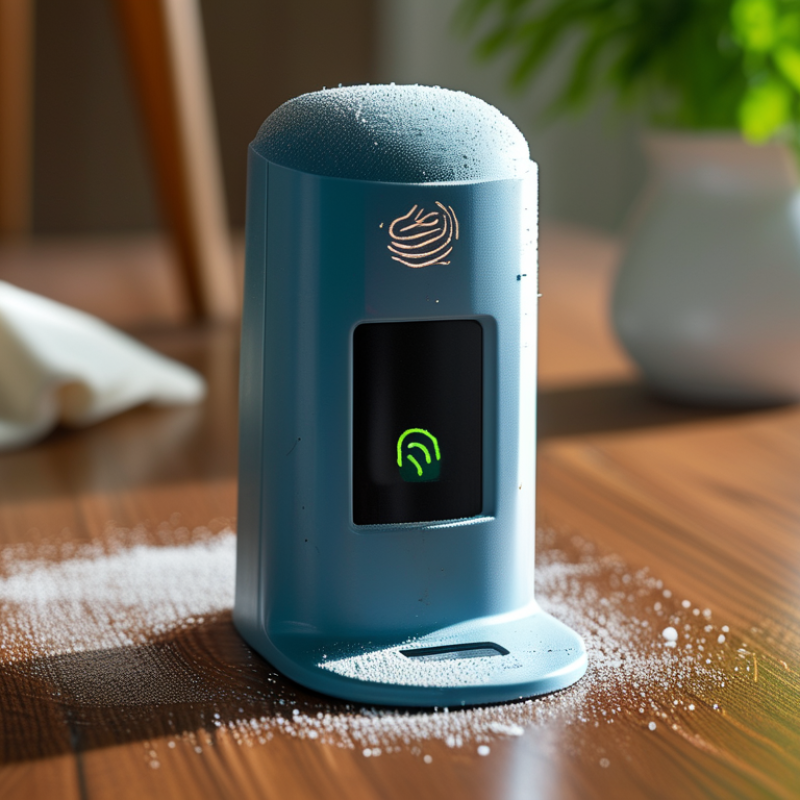
How to Clean and Maintain Your Biometric Fingerprint Scanner?

Understanding Biometric Fingerprint Scanners and Their Importance

Biometric fingerprint scanners are essential tools for modern security. They offer a reliable way to authenticate identities, ensuring that only authorized individuals gain access to sensitive areas or data. The accuracy of these devices lies in their ability to capture unique patterns in fingerprints. Unlike passwords, fingerprints cannot be forgotten or easily replicated, making them a secure choice. As users increasingly depend on this technology, understanding its significance in various sectors becomes vital.

Proper maintenance of these scanners is crucial. Dirt and grease can hinder their performance. Regular cleaning helps maintain their sensitivity and reliability. It's important to use microfiber cloths and appropriate cleaning agents. Using harsh chemicals can damage the scanner’s surface. Reflecting on this process is essential; often, users overlook the importance of routine care. Taking the time to ensure these devices remain functional can prevent security breaches. Moreover, recognizing the limitations of biometric systems is important. No system is infallible, and understanding these vulnerabilities can enhance security measures overall.

Common Issues Faced with Biometric Fingerprint Scanners

Biometric fingerprint scanners are valuable tools, yet they can experience common issues. One frequent problem is inconsistent recognition. Users may find that the scanner fails to recognize their fingerprint often. This can stem from dirty sensors or improper finger placement, which can disrupt the scanning process. Regular maintenance and cleaning can help mitigate this issue.

Another common issue is environmental factors affecting performance. Scanners may struggle in extreme temperatures or humidity. Moist or sweaty fingers can also hinder recognition. It's essential to keep your hands clean and dry before using the scanner. Furthermore, relying solely on the scanner without any backup method can lead to frustration. An alternative access option might be helpful in case of scanner malfunction.

Users often overlook software updates, a factor that can significantly impact scanner efficiency. Regularly check for firmware updates to ensure optimal performance and security. Neglecting updates can leave the device vulnerable and less effective over time. Recognizing these issues and addressing them is crucial for maintaining a reliable biometric fingerprint scanner.

Step-by-Step Guide to Cleaning Your Fingerprint Scanner

Cleaning your biometric fingerprint scanner is essential for optimal performance. Dust and grime can interfere with its accuracy. Start by unplugging the device to ensure safety. Use a soft microfiber cloth to gently wipe the surface. This prevents scratches and potential damage. For stubborn smudges, lightly dampen the cloth with water or a gentle cleaning solution. Avoid using harsh chemicals. They can harm the scanner's sensors.

Next, focus on the scanner’s sensor area. This is where fingerprints are read. Use a cotton swab for a deeper clean. Dampen the swab lightly and rub it over the sensor. This removes oils and residue without risking damage. Be careful not to apply too much pressure. Scanners are sensitive and can be easily harmed. After cleaning, let it dry completely before using.

Maintenance is ongoing. Regularly check the scanner for signs of build-up. Insights from experienced users suggest cleaning it every few weeks, especially in high-traffic areas. Pay attention to the environment it’s in. Humidity and dirt can increase the need for maintenance. Reflect on your usage patterns. You may need to adjust your cleaning routine accordingly. Regular care enhances reliability.

Best Practices for Regular Maintenance of Fingerprint Scanners

Regular maintenance of your biometric fingerprint scanner is crucial for optimal performance. Dust and grime can easily accumulate, leading to misreads or failures. Clean the scanner surface with a microfiber cloth dampened with water or a suitable cleaning solution. This should be done weekly, especially in high-traffic areas where fingerprints are frequently registered.

In addition to surface cleaning, inspect the device for any signs of wear or damage. Check the cables and connections regularly. Replace any worn parts immediately to ensure the scanner functions properly. It’s important to note that neglecting maintenance can lead to security risks. An unclean scanner might not accurately read fingerprints, undermining the device's security purpose.

User education plays a significant role in scanner maintenance. Encourage users to keep their fingers clean and dry before use. Consider creating a simple guide for users on the best practices for using the scanner. The goal is a collaborative effort to maintain device efficiency and security, which requires attention from both users and maintenance personnel. Regular inspections and cleanings can significantly extend the life of your biometric device.

Fingerprint Scanner Maintenance Frequency

This chart illustrates the recommended frequency of maintenance tasks for biometric fingerprint scanners. Regular maintenance is crucial to ensure optimal performance and security.

When to Seek Professional Help for Your Biometric Device

Maintaining a biometric fingerprint scanner is vital for its longevity and functionality. Regular cleaning is crucial to prevent dirt buildup. However, knowing when to seek professional help is equally important. If your device shows signs of malfunction, it's best to consult with a specialist. Issues like slow response or inaccurate readings may indicate underlying problems needing expert attention.

Dust and moisture can interfere with scanner operation. To keep your device running smoothly, clean it with a soft cloth. For deeper cleansing, use a mild detergent and avoid harsh chemicals. Make sure the scanner lens remains clear; a dirty lens can reduce accuracy. If you notice persistent issues after cleaning, don’t hesitate to reach out for professional servicing.

When your biometric device gives inconsistent results, that's a sign. You might think a simple fix will do. However, complex internal issues could require technical expertise. If your device is making unusual sounds or experiencing connectivity issues, consider scheduling a professional assessment. Waiting too long can lead to more significant problems down the road. Stay proactive about your device’s health for optimal performance.

How to Clean and Maintain Your Biometric Fingerprint Scanner? - When to Seek Professional Help for Your Biometric Device

Task Frequency Tools Required Signs Professional Help Needed
Wipe the scanner surface Weekly Microfiber cloth, mild cleaner Persistent smudges, scan failures
Software updates Monthly Computer, internet access Inability to install updates, software errors
Check sensor alignment Bi-Annually Level, screwdriver Misaligned device, irregular scanning
Inspect wiring and connections Annually Screwdriver, inspection light Loose wires, device powering issues
Overall hardware inspection Annually Inspection toolkit Unusual noises, physical damage

FAQS

: Why is it important to maintain biometric fingerprint scanners?

: Proper maintenance ensures reliability and sensitivity. Dirty sensors can lead to misreads or failures.

How often should fingerprint scanners be cleaned?

Scanners should be cleaned weekly, especially in busy areas. Regular cleaning helps maintain their performance.

What should I use to clean the scanner?

Use a microfiber cloth with water or a suitable cleaning solution. Avoid harsh chemicals that can damage the surface.

What common issues can affect scanner performance?

Inconsistent recognition, environmental factors, and dirty sensors can hinder performance. Users must clean their fingers before use.

What should I do if the scanner fails to recognize my fingerprint?

Ensure your hands are clean and dry. Check for dirt on the scanner and consider alternative access methods.

Are software updates necessary for fingerprint scanners?

Yes, regular updates help maintain efficiency and security. Neglecting them can leave devices vulnerable and less effective.

How can user education improve scanner maintenance?

Educating users on best practices promotes cleanliness and proper usage. Simple guides can enhance overall device performance.

What can happen if maintenance is neglected?

Neglecting maintenance can lead to misreads and potential security risks. It's vital to ensure the device remains functional.

Can environmental conditions affect scanner accuracy?

Yes, extreme temperatures or humidity can impact performance. Keeping fingers dry is essential for accurate scanning.

What should users keep in mind when using the scanner?

Users should reflect on their habits and ensure routine care. A collaborative effort can significantly extend the device's life.

Conclusion

In the article titled "How to Clean and Maintain Your Biometric Fingerprint Scanner," readers gain insights into the significance of biometric fingerprint scanners and the common issues they may encounter, such as dirt accumulation and sensor malfunctions. The article provides a comprehensive step-by-step guide on how to clean and maintain a biometric fingerprint scanner effectively, ensuring optimal performance and longevity of the device.

Additionally, it highlights best practices for regular maintenance, such as routine checks and environment considerations, to prevent future issues. The piece also advises when it may be necessary to seek professional help for dealing with more complex problems. Overall, understanding how to clean and maintain a biometric fingerprint scanner is essential for users to ensure functionality and reliability in their security measures.

Oliver

Oliver

Oliver is a seasoned marketing professional with a wealth of expertise in driving brand awareness and engagement. With a deep understanding of our company's product offerings, he consistently delivers high-quality content that enriches our professional blog. His insights not only shed light on......