A smart lock can make a front door easier to manage, but convenience does not remove risk. Can a smart lock be hacked easily? The honest answer is: it depends on the model, its setup, and the security of the account controlling it. In 2016, security researcher Anthony Rose and co-researcher Ben Ramsey reported weaknesses in several Bluetooth smart locks they tested, including flaws that could allow unauthorized access. Their work is a useful reminder, not proof that every smart lock is easy to break into.
Broader cybersecurity data helps explain why account protection matters. Verizon’s 2024 Data Breach Investigations Report identified stolen credentials as an initial access method in 24% of breaches. That figure covers many kinds of organizations, not smart locks specifically. Still, a reused password on a lock account can create a real opening. NIST’s IoT cybersecurity guidance calls for capabilities such as access control and secure software updates. CISA also advises users to change default passwords and keep device software updated.
A lock is only one part of the system. The phone app, home Wi-Fi, and account recovery process matter too. Use a unique password, enable multifactor authentication when available, install updates, and review who still has access. Test the physical backup key. Check activity alerts. Small steps help. They are not a guarantee, and manufacturers do not all offer the same protections. That gap deserves attention before a lock is installed, not after a strange unlock alert appears.
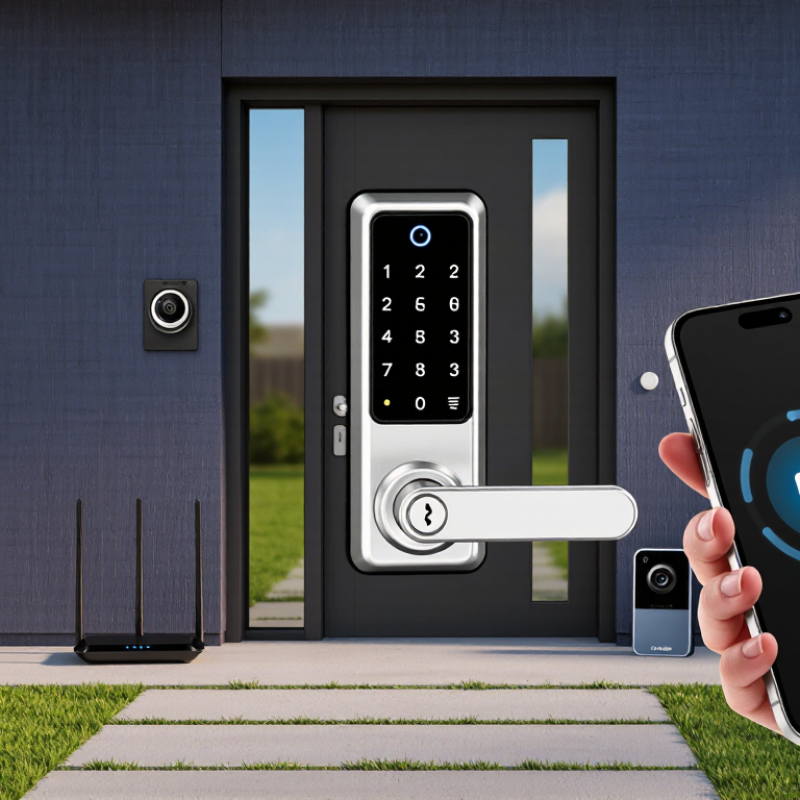
How to Prevent Smart Locks From Being Hacked?
A smart lock’s weak point may be the account controlling it, not the lock itself. Reused passwords, phishing, and unsecured home Wi-Fi can expose access to the companion app. Bluetooth connections and cloud services also deserve attention: outdated software or weak access controls may leave gaps. Physical damage or tampering is another risk, especially when a lock is poorly installed. Small gaps matter.
Verizon’s 2024 Data Breach Investigations Report found human involvement in 68% of breaches. This figure covers many industries, not smart locks specifically, but it highlights why account security matters. A strong, unique password and multifactor authentication can reduce the risk of account takeover. Check who has access, too; old household or guest permissions are easy to forget.
NIST’s IoT device cybersecurity baseline, NISTIR 8259A, identifies data protection, controlled interfaces, and software updates as important device capabilities. Keep the lock and router updated, use a secure Wi-Fi password, and turn off remote features you do not need. Check the manufacturer’s security and update guidance before buying. One detail is easy to miss: a sturdy lock cannot compensate for a compromised phone or email account. That deserves a second look.
A smart lock is only as dependable as the protections behind it. Look for clear details about how it encrypts communication between the lock, phone, and home network. Account security matters too: multifactor authentication can make a stolen password less useful. Check whether the lock records access events and sends alerts when someone enters or changes settings. These features do not make a lock impossible to compromise, but they can help you notice problems sooner. Small details count.
Reliable updates are just as important as strong features. Before buying, check how long software support is expected to last and whether the maker publishes security notices. Recent update dates are more reassuring than vague promises. Check the dates. Prefer a lock that installs security updates automatically, while still letting you confirm that an update completed. A brief interruption can be inconvenient, so keep a backup entry method available and test it before you need it. Keep the companion app and home router updated as well; the lock is part of a connected system. It is easy to focus on the hardware and forget the phone in your pocket. That oversight is worth reconsidering.
A smart lock is only as private as the account protecting it. Create a distinct password for the lock’s account, rather than reusing one from email or shopping. A password manager can generate and store a long, random phrase, so you do not have to remember it. Small habits matter. Avoid passwords based on a street name, birthday, or anything visible on a doorstep or social profile. If the lock offers separate household profiles, give each person their own login instead of sharing the owner’s credentials. That makes it easier to remove access when a guest or former housemate no longer needs it.
Enable multi-factor authentication in the account settings. An authenticator app or security key is generally preferable to text messages when those options are available, because text delivery can depend on your phone number and carrier. Keep recovery codes somewhere secure and separate from your phone.
Keep it private. Check the account’s active sessions and access list after adding a new user, and remove entries you no longer recognize or need. Settings vary, so verify the steps in the lock’s official support materials. No extra check makes an account invulnerable, and too many steps can tempt people to share codes for convenience. Review the setup occasionally, especially after changing phones or moving.
A smart lock depends on more than its own software. Your Wi-Fi router, phone, and other connected devices can all affect its security. Start with the router: use WPA2 or WPA3 encryption, set a long, unique Wi-Fi password, and replace the router’s default administrator password. Keep its firmware updated, and turn off remote management if you do not use it. Small steps matter.
Next, separate smart-home devices from computers and phones when your router supports a guest or IoT network. This can limit how easily one compromised device reaches another. It is not a perfect barrier, but it reduces unnecessary access. Update connected devices regularly, enable multi-factor authentication on the accounts that control them, and remove devices you no longer use. Check the device list occasionally; an unfamiliar name deserves a closer look. Avoid sharing the main Wi-Fi password with visitors when a guest network is available. Convenience can blur good boundaries, and I would not assume that a strong lock alone protects the whole home. A quick monthly review of router settings and connected devices is practical, even if it is easy to forget.
A smart lock is not a set-and-forget device. Check its battery level in the app, and replace weak batteries before the lock starts behaving unpredictably. Every few weeks, inspect the keypad and door area for dirt, moisture, or loose screws. Clean gently, following the care instructions for your model. Small checks matter. Test the door from inside and outside to confirm it closes fully and the bolt moves without rubbing the frame. A stiff bolt can strain the motor, even when the app reports everything is fine.
Review access activity on a regular schedule, such as every Sunday evening. Look for unfamiliar unlock times, repeated failed attempts, or entries that do not match anyone’s routine. After a guest, cleaner, or repair visit, remove temporary access that is no longer needed. Check shared codes, too; it is easy to forget who still has one. Keep it simple. If an entry looks unusual, verify it with household members before assuming the lock was compromised.
Install software updates through the lock’s official app, and use a strong, unique account password. Keep notifications enabled if they help you notice activity promptly. Still, access logs may not tell the whole story if a device loses power or connection. That limitation is worth remembering. Pair app alerts with a quick physical check of the door, especially after travel or severe weather.
| Security task | Suggested frequency | What to do | Why it matters |
|---|---|---|---|
| Review access history | Weekly, and after unusual activity | Check timestamps, user names, failed attempts, and activity that does not match expected use. | Can help identify unfamiliar access or unexpected patterns early. |
| Remove unused credentials | Monthly and whenever access changes | Delete old PINs, digital keys, guest permissions, and accounts that are no longer needed. | Limits the number of active ways to unlock the door. |
| Install security updates | Check monthly; enable automatic updates if available | Check the lock and its connected app for firmware and software updates, then follow the maker’s installation instructions. | Updates may address known security weaknesses and improve reliability. |
| Inspect the lock and door hardware | Monthly | Look for loose screws, damage, sticking bolts, or a door that does not close and latch properly. | Mechanical problems can prevent secure locking or make faults harder to notice. |
| Check batteries and alerts | Monthly, or when a low-battery alert appears | Replace batteries as directed and confirm that lock-status and low-battery notifications are enabled. | Helps avoid lockouts and keeps important status warnings visible. |
| Secure the associated account | At setup and whenever credentials may be exposed | Use a unique, strong password, enable multifactor authentication when available, and secure the email account used for recovery. | A compromised account can expose connected lock controls and access settings. |
| Review sharing permissions | Whenever access is shared or a visitor’s access ends | Use individual, time-limited access where supported instead of sharing the main account password or a permanent code. | Makes access easier to manage and revoke without changing everyone’s credentials. |
| Respond to suspicious activity | As soon as an unfamiliar event is found | Revoke unknown access, change the account password, review connected devices, update software, and contact the lock’s support channel if needed. | Prompt action can reduce further unauthorized access while the cause is investigated. |
Frequency suggestions are general guidance; follow the lock’s current instructions and adjust checks to your household’s access needs.
Reusing an email or shopping password can expose the lock account if another account is breached. Use a long, random password. A password manager can store it.
Enable multi-factor authentication in the account settings. An authenticator app or security key is generally preferable to text messages when available. Keep recovery codes somewhere secure and separate from your phone.
No. Give each person a separate profile if the lock supports it. Remove a person’s access when they no longer need it. Shared logins are convenient, but they make access harder to track.
Review the access list after adding someone and remove unfamiliar or unnecessary entries. Check shared codes, too. It is easy to forget who still has one.
Check the battery level and replace weak batteries before problems begin. Every few weeks, inspect the keypad and door area for dirt, moisture, or loose screws. Small checks matter.
Test the door from inside and outside. Confirm it closes fully and the bolt moves without rubbing the frame. A stiff bolt can strain the motor, even if the app looks normal.
Review it regularly, such as every Sunday evening. Look for unfamiliar unlock times or repeated failed attempts. Verify unusual entries with household members before assuming something is wrong.
Not always. Logs may miss activity if the lock loses power or connection. Keep notifications enabled if useful, and check the physical door after travel or severe weather. I still might forget sometimes.
Can a smart lock be hacked easily? The risk depends on its design, setup, and the security of the devices connected to it. Common weak points include outdated software, guessable access codes, poorly protected wireless connections, and unsecured home networks. Before choosing a lock, look for strong encryption, dependable software updates, and clear options for managing users and access. A well-designed lock is only part of the solution: create unique, hard-to-guess credentials and enable multi-factor authentication whenever it is available.
Protect the Wi-Fi network with a strong password and keep connected devices updated, since weaknesses elsewhere in the home can affect the lock’s security. Regularly check for lock updates, review access history, and remove codes or permissions that are no longer needed. These simple habits can reduce avoidable risks and help you notice unusual activity sooner. No connected device is completely risk-free, but careful selection and ongoing maintenance can make a smart lock much harder to compromise.

Wipan Lock