How to Unlock a Smart Lock When the Battery Dies?

Time:2026-07-26 Author:Sophia
0%

Smart locks offer convenience, but they can pose challenges when the battery dies. Unlocking these devices becomes a pressing concern for many users. Understanding how to bypass a smart lock when the battery dies is crucial for maintaining easy access to your home or office.

When faced with a dead battery, the first instinct may be to panic. However, there are practical methods to regain access. Each smart lock is unique, so knowing your specific model can help. Some locks have an emergency key or a backup charging port, while others may require a manual override.

Having experience with different smart locks can provide valuable insights. Yet, each situation may require a tailored approach. Reflecting on the design of these locks reminds us that technology is not always infallible. Understanding these solutions not only empowers you but also highlights the importance of regular maintenance and battery checks.
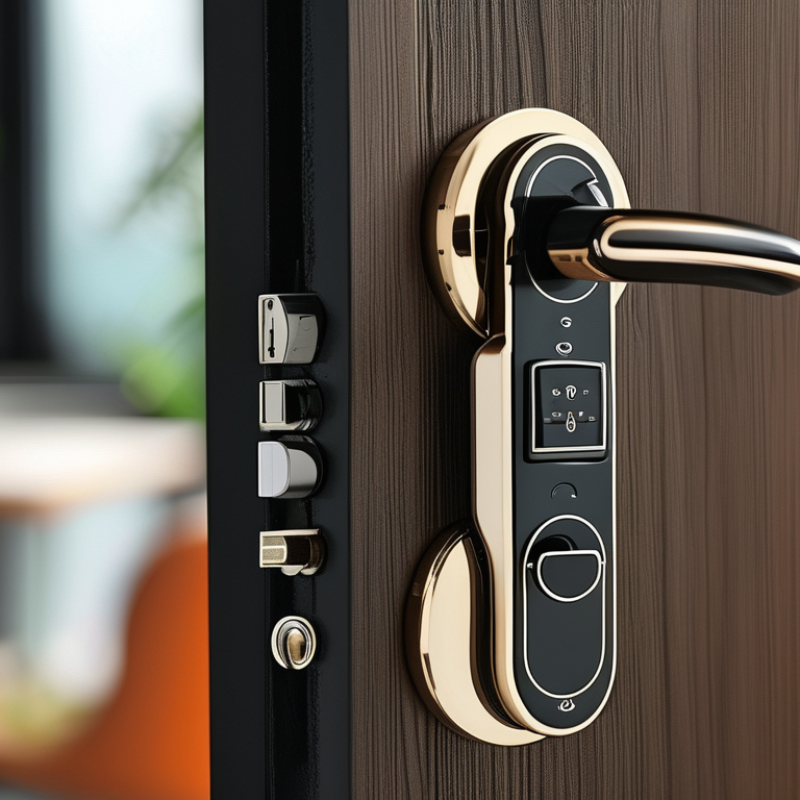
How to Unlock a Smart Lock When the Battery Dies?

Understanding Smart Lock Battery Life and Its Importance

A smart lock's battery life is crucial for its functionality and your home security. Understanding how long the battery lasts can prevent unexpected lockouts. Most smart locks use lithium batteries that last between six months to a year, depending on usage and features. Frequent use, like constant locking and unlocking, drains the battery faster. Consider a lock with a low battery indicator. This feature alerts you before the battery dies entirely.

Regularly check your smart lock's battery status. Even with indicators, some users overlook this. It's vital to replace the batteries at the first signs of low power. Ignoring this can lead to frustration. When the battery dies, unlocking the door becomes a challenge. Some locks have backup options, such as physical keys. Keep these keys accessible in case of emergencies. However, relying on a backup is not ideal.

Many people forget the importance of routine maintenance. Consider testing your smart lock monthly. This simple act ensures you’re aware of its condition. Address potential issues promptly. This proactive approach enhances security and ensures peace of mind. Smart locks can simplify life, but only if maintained properly.

Common Signs That Your Smart Lock Battery is Dying

When monitoring the health of your smart lock, there are common signs that indicate the battery might be dying. One noticeable sign is the lock showing delayed response. If it takes longer to unlock via the app or keypad, that’s a red flag. Another indication is frequent connectivity issues. If your lock disconnects often from Wi-Fi, it could mean the battery is weakening.

You may also notice an unusual digital alert from your smart lock. Some devices send low-battery notifications through your smartphone app. Ignoring these alerts can lead to unexpected lockouts. Visual checks are equally important. If the lock lights flicker or dim, it may be time to change the batteries.

Tips: Regularly test your smart lock's response time. If you notice changes, consider inspecting the battery. Keep spare batteries on hand, so you’re not caught off guard. Evaluate your lock's connection regularly. Ensuring it stays connected can help avoid future issues.

Step-by-Step Guide to Unlocking a Smart Lock Without Battery Power

Unlocking a smart lock when the battery dies can be frustrating. Many homeowners rely on battery-operated smart locks, which can fail unexpectedly. According to recent studies, 25% of smart lock users have reported battery issues. Knowing how to unlock your door in such situations is crucial.

If your smart lock has a keyhole, use a traditional key. In emergencies, a physical key can save the day. Even with advancements in technology, it’s smart to have a backup. Additionally, some locks offer alternatives like a backup keypad. This is useful, but be cautious. Ensure the keypad is powered.

Tips: Always keep spare batteries at home. Replace them regularly, even if they still work. Proactive maintenance can prevent mid-event emergencies.

Another option is to use a power bank or jumper cables. Some smart locks allow charging through the external port. This won’t always work, and it may create a gap in your security system. Always test these methods before you need them.

Taking these precautions can enhance your home security. While smart locks provide convenience, they are not infallible. A well-rounded approach involves understanding potential drawbacks and preparing for unexpected battery failures.

Emergency Backup Options for When Smart Lock Batteries Fail

When a smart lock's battery fails, it can create a daunting situation. However, several emergency backup options can help regain access. Knowing these methods is essential for any smart lock user.

One reliable option is to use a physical key. Many smart locks include a traditional keyhole for such emergencies. Always keep a backup key in a secure place. Another alternative is charging the smart lock externally if it has this feature. Some locks come with a micro-USB port for emergency power. A portable charger may help in these situations.

Consider the possibility of a manual override. Some smart locks allow you to reset the device using the physical mechanisms inside. It requires a little knowledge of the lock's inner workings. Being aware of these options can prevent frustrating moments and provide peace of mind. Always examine the user manual for specific instructions. It’s essential to reflect on these alternatives and ensure your backup plans are in place before an emergency occurs.

Preventive Measures for Maintaining Smart Lock Battery Health

Maintaining your smart lock's battery health is crucial for seamless operation. Regular checks can prevent unexpected lockouts. Consider scheduling a battery inspection every few months. This routine can save you from frustration later.

Here are some tips for enhancing battery life. Use high-quality batteries that meet your lock's specifications. Cheap alternatives might save you money now but could lead to issues down the line. Additionally, reduce unnecessary usage by limiting the number of times you unlock the door remotely.

Environmental factors also affect battery life. Extreme temperatures can drain batteries faster. If possible, install the lock in a sheltered location. Keep an eye on the battery level using your lock's app. Ignoring alerts like low battery warnings may result in last-minute stress. These simple practices can extend battery longevity and reliability.

FAQS

: What should I do if my smart lock battery dies?

: Use a traditional key if there's a keyhole. It’s a reliable backup.

Can I charge my smart lock if the battery fails?

Some locks have external charging ports. Use a portable charger if available.

How can I prevent my smart lock from running out of battery?

Regularly check battery health. Replace batteries even if they seem fine.

What are some good battery maintenance tips?

Use quality batteries. Cheap ones could lead to bigger issues later.

Is using a backup keypad a good idea?

Yes, but ensure the keypad is powered. It can help in emergencies.

Can I access my smart lock manually?

Some locks allow manual overrides. Check your user manual for details.

How can temperature affect my smart lock battery?

Extreme temperatures can drain the battery faster. Keep locks in sheltered spots.

Why should I avoid ignoring low battery alerts?

Ignoring alerts may cause last-minute lockouts. Stay proactive with battery checks.

What happens if I rely solely on my smart lock?

Relying only on smart locks could lead to frustration during failures.

How often should I check my smart lock’s battery?

Inspect the battery every few months to prevent unexpected issues.

Conclusion

In today's connected world, smart locks offer convenience but can pose challenges when the battery dies. Understanding smart lock battery life and recognizing the common signs of a failing battery are essential for homeowners. Typical indicators include sluggish responses or inability to connect via mobile apps. To ensure you can access your home, knowing how to bypass a smart lock when the battery dies is crucial.

This article provides a step-by-step guide for unlocking a smart lock without battery power, along with emergency backup options such as physical keys or alternative unlocking mechanisms. Additionally, it emphasizes preventive measures to maintain battery health, ensuring that your smart lock remains operational and secure. By being proactive, you can prevent potential lockouts and enhance the longevity of your smart lock’s battery.

Sophia

Sophia

Sophia is a dedicated marketing professional with an exceptional depth of knowledge about her company's products and services. With a keen understanding of market trends and customer needs, she crafts insightful blog posts that not only inform but also engage readers, enriching the company’s online......