What happens to smart locks when the power goes out? The answer depends on how the lock receives power. Many residential models use replaceable batteries, so a home’s electrical outage may leave the lock working normally. But a dead battery is different. The keypad may go dark, the motor may stop responding, or remote commands may fail. A router without power can also interrupt app access, even while the lock itself remains usable.
Small details matter. Check the manual for your exact model, and test its backup entry method before an outage. Some locks accept a physical key; others provide emergency power contacts or another manufacturer-approved option. Keep a spare key somewhere accessible, and replace low batteries promptly. Do not assume every smart lock behaves alike.
Security technologist Bruce Schneier has said, “Security is a process, not a product.” That reminder fits outage planning: reliable access depends on preparation, not just the device. Still, no backup plan is perfect. A key can be misplaced, and a backup battery can be forgotten. Test your chosen method while the lock is working, and make sure household members know how to use it. This guide explains what to check, what may stop working, and how to regain entry safely when power or connectivity fails. It also distinguishes a home power cut from a lock’s own battery failure, because the two problems can look surprisingly similar.
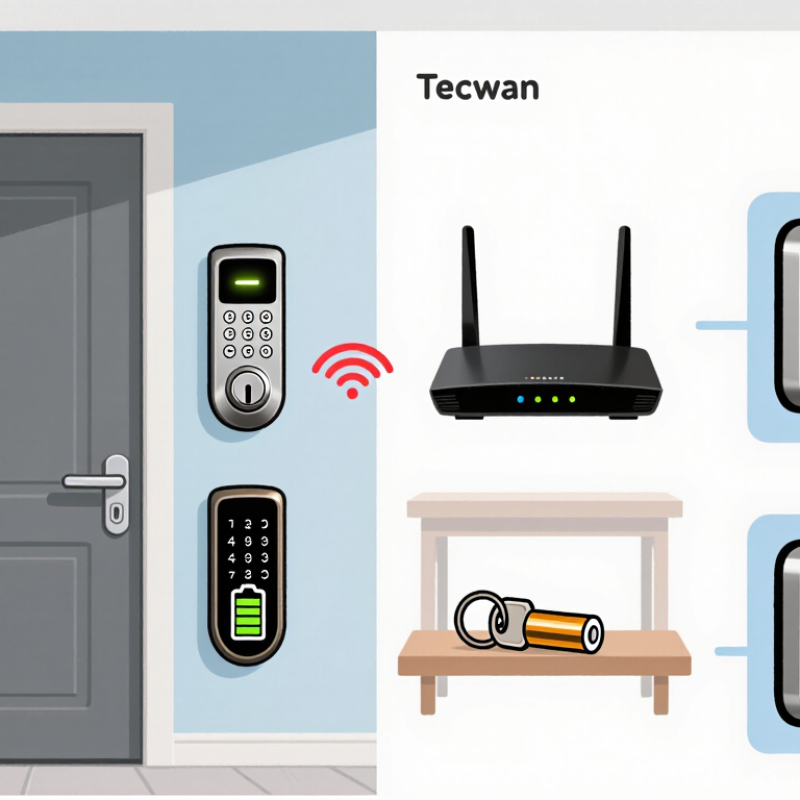
A power outage does not usually switch off a smart lock. Most models run on batteries, so a charged lock can still accept a keypad code or operate through Bluetooth. The bigger disruption is often the home network: a router without backup power may go dark, stopping remote app access and alerts. The lock may remain usable at the door. Check its battery indicator before an outage, and keep the physical backup key somewhere accessible—not inside the locked home.
The U.S. Energy Information Administration’s 2022 electric reliability data reported about 5.5 hours of average interruption time per customer, excluding major events. That is long enough for a weak lock battery to become the real problem. During an outage, test the keypad directly and listen for the motor; a dim display or sluggish bolt deserves attention. Some models also provide an exterior emergency power contact, but its location and required battery type vary. Read the manual before you need it. One caveat: a lock can appear powered while a misaligned door bolt prevents it from locking fully. Test the door by hand after operation.
Check the backup before an outage, not while standing outside in the rain. The U.S. Energy Information Administration’s Electric Power Annual reported an average of 5.5 hours of power interruptions per customer in 2022, excluding major events. That figure makes a lock’s backup method worth checking, even if outages are uncommon where you live.
Open the manual and identify the exact power source. Some locks use replaceable batteries; others provide an external emergency contact or a mechanical key. These features are not universal. Check whether the keypad and motor still operate when household power is lost, and note any required battery type or contact location. Check it now. A low-battery warning is useful, but it is not a substitute for testing with fresh batteries before trouble starts.
If the lock has a backup terminal, confirm which battery it accepts and how long temporary power lasts. Keep the right battery nearby, somewhere dry and easy to reach. Do not guess. A USB port may be for setup or charging only, and some models need power applied while you enter the code. I still find this easy to overlook: test the backup procedure with the door open, then record the steps where household members can find them.
When the power goes out, many smart locks keep working because they run on batteries. Try the keypad first, entering your code slowly and watching for the indicator light or lock movement. Keep your hand near the handle. A low battery may cause a delay, and repeated guesses can trigger a temporary lockout on some models. Check the lock’s manual before relying on a particular keypad feature.
An app may still unlock the door if your phone and lock can communicate locally, but remote access often depends on internet service or a powered hub.
I once assumed a working phone meant the lock would respond; it did not. That is worth remembering.
If your lock has a physical keyway, keep its key somewhere accessible outside the home, not inside a drawer behind the locked door. Some models also accept temporary power through exterior contacts, but the method varies. Test your backup options during daylight, and replace weak batteries before severe weather.
When utility power returns, restore the network before troubleshooting the lock. Plug in the router and any bridge or hub, then allow them several minutes to restart. The U.S. Energy Information Administration reported an average of 5.5 hours of electricity interruptions per customer in 2022, including major events. That figure describes the wider grid, not how long a particular home or lock will be offline. Still, it is a good reason to keep entry options ready.
Many smart locks use batteries, so an outage may interrupt the connection rather than the lock’s power. Check the lock’s status light or keypad, and replace weak batteries according to its manual. In the app, confirm the router is online before reconnecting the lock or hub; avoid factory resetting unless the instructions call for it, since saved settings may be lost. Stay nearby. Test the keypad and app with the door open, then close it and verify the bolt moves smoothly. It is easy to rush this last check. Don’t. If the lock remains offline, use its approved backup entry method and follow the manufacturer’s recovery steps.
Most smart locks use batteries, so a home power outage may affect the router or app connection without stopping the lock’s keypad or key. Follow your lock’s manual for model-specific emergency access and reconnection steps.
Illustrative time estimates only; actual times vary by lock, router, and network. Use the keypad or physical key if available while the network is offline. Once power and internet return, reconnect the router first, then check the lock’s connection in its app.
A power cut does not always disable a battery-powered smart lock, but depleted cells can leave its keypad unresponsive. The U.S. Energy Information Administration’s Electric Power Annual reported an average of about 5.5 hours of customer interruptions in 2022, including major events. That is long enough to expose a weak backup battery. Check the lock’s manual for its battery type, warning signals, and emergency entry method.
Test it now.
With the door open, lock and unlock it using the keypad, then try the physical key or external power contact if the model provides one. Replace batteries when the lock signals low power, or sooner if they are old or corroded.
Use the specified cell type, match polarity, and replace the full set together; mixing old and new cells can make performance unpredictable. Keep fresh batteries and the mechanical key somewhere accessible, not inside the locked home.
A small oversight is easy: testing the app while the router is down proves little about the lock itself. Test locally, and repeat after replacement. If the keypad remains sluggish, do not assume the new cells fixed it; inspect the contacts and follow the manufacturer’s troubleshooting instructions.
Usually not. Most smart locks use batteries, so their keypads and local Bluetooth functions may keep working.
The router or hub may lose power. The lock can still work at the door while remote access and alerts disappear.
Try the keypad. Enter your code slowly and watch for the indicator light or bolt movement. Keep a hand near the handle.
Some models temporarily lock out after repeated incorrect entries. Check your manual. Guessing can make a stressful moment worse.
Keep it somewhere accessible outside the locked home. A key inside the house is not much help.
Look for a dim display or sluggish bolt. Listen for the motor, too. A delay deserves attention.
Some have exterior power contacts, but their locations and battery requirements vary. Read the manual before an outage. That detail matters.
No. A misaligned bolt may stop it from locking fully. Test the door by hand after operating the lock.
Check the battery indicator and test backup options in daylight. One U.S. estimate reported about 5.5 hours of average interruption time per customer in 2022, excluding major events. I would not assume a weak battery can last that long.
What happens to smart locks when the power goes out depends on the lock’s design and backup options. Many models continue working on their internal batteries, while some may have a backup power connection or a traditional key override. Before an outage, check the lock’s manual and make sure you know how to access the door without relying on a powered app or network connection.
If the keypad or app is unavailable, try the lock’s physical key or another supported backup method. Once power returns, allow the lock and any connected devices to restart, then reconnect them if needed. Test locking and unlocking from both inside and outside, and check that access codes and app controls work as expected. Replace backup batteries if they are low, and keep a working physical key in a secure, accessible place so you can enter if the electronic features fail.

Wipan Lock