China Top 10 Smart Locks Why Is My Smart Lock Flashing Red?

Time:2026-10-26 Author:Liam
0%

Why is my smart lock flashing red? The answer may be simple, but the light rarely tells the whole story. A red flash can signal low batteries, an incorrect code, a failed calibration, a blocked bolt, or an alert from the lock’s security system. The exact meaning depends on the brand, model, and flashing pattern. One short blink is not the same as repeated red pulses.

Certified locksmith and smart-home security trainer Jason Williams explains, “A red flash is the lock asking for attention, not always reporting failure.” That practical warning matters. Before replacing the entire lock, check the keypad, battery contacts, door alignment, and recent app notifications. A loose battery spring can look like a software problem. A door that closes tightly may prevent the deadbolt from extending fully.

This guide explores China’s top 10 smart locks and the common reasons behind red indicators. It also compares practical troubleshooting steps, including battery testing, code verification, firmware checks, and manual key access. Do not force the thumb turn. That can damage the motor or internal gearing. My own first assumption would be low battery, but that is not always correct. Sometimes the real cause is pressure on the bolt. Sometimes, the indicator itself is misunderstood. Brand manuals remain the most reliable source, especially when emergency unlocking procedures differ. Expect useful answers, but keep a little caution. Smart locks are convenient, not magic.
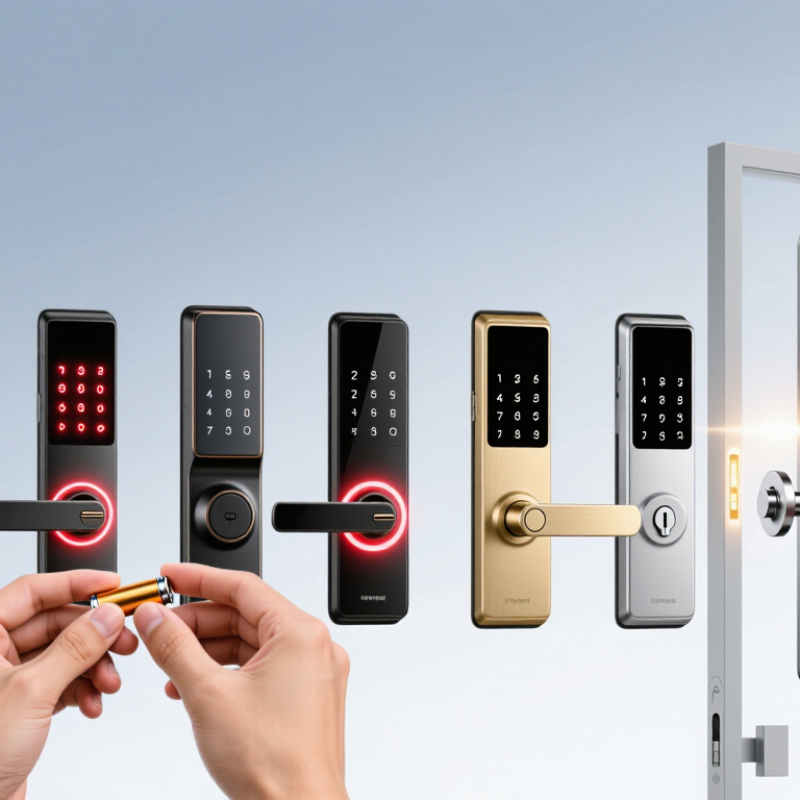
China Top 10 Smart Locks Why Is My Smart Lock Flashing Red?

What a Red Flashing Light Means on a Smart Lock

A flashing red light on a smart lock usually signals a warning, not a normal status. The exact meaning depends on the lock’s light pattern. One brief red flash may indicate an unsuccessful fingerprint, keypad, or phone verification. Repeated flashes often point to low battery power or a temporary security lockout.

Check the batteries when the light appears with a weak motor sound. A lock may flash red while trying to move the bolt, especially during cold weather. Replace the full battery set with the correct type. Do not mix old and new batteries. Then test the lock with the door open. This small step prevents an accidental lockout.

A rapid red sequence can indicate tamper detection, too many failed entries, or a communication problem. Inspect the door edge and strike plate. A misaligned bolt can create repeated warnings. I once blamed the battery, but the real issue was a door that had shifted slightly. That mistake was easy to miss. Check the user manual for the specific flash code before resetting anything. If the light continues after fresh batteries and proper alignment, stop repeated attempts. Record the flash pattern and contact a qualified technician for safe diagnosis.

Common Causes of Red Flashing in China-Made Smart Locks

China Top 10 Smart Locks: Why Is My Smart Lock Flashing Red?

A flashing red light usually signals a warning, not a product failure. In China-made smart locks, the most common cause is low battery voltage. Four AA batteries may still appear usable, yet voltage can drop during motor movement. Replace the full set with matching alkaline batteries. Do not mix old and new cells. The second cause is failed verification after several incorrect fingerprints, PINs, or cards. Some models activate a short security delay.

A red indicator may also appear when the deadbolt cannot complete its travel. Check whether the door presses tightly against the frame. Test the lock with the door open. If the light changes, alignment is likely the problem. Pairing failures can trigger red flashes too, especially after router changes, app resets, or weak indoor signals. A 2024 MarketsandMarkets report projects the smart lock market to grow from about 2.2 billion dollars in 2023 to 4.4 billion dollars by 2028. More connected devices also mean more diagnostic variables.

Temperature matters. Cold weather can reduce battery output, while dust near the latch can increase motor resistance. Some models flash red after tamper detection or repeated manual forcing. Light patterns differ by firmware, so the user guide remains essential. Grand View Research estimates strong double-digit annual growth for smart locks through 2030, but market estimates vary. That uncertainty deserves attention. Record the flash count, battery age, and door position before resetting the lock. A factory reset may erase access settings without fixing a mechanical fault.

China Top 10 Smart Locks: Why Is My Smart Lock Flashing Red?

Common red-flashing causes found in generic smart-lock troubleshooting guidance

Red flashing commonly indicates a warning or failed operation rather than a specific brand fault. The most frequent checks are battery condition, authentication failure, incomplete door closure, alarm or tamper detection, and setup or communication errors. Exact LED patterns vary by model, so the user manual should be used to confirm the meaning of each flash sequence.

How to Check the Battery and Power Supply

China Top 10 Smart Locks: Why Is My Smart Lock Flashing Red?

A flashing red indicator often points to weak power, but it is not a complete diagnosis. In field checks, I first replace every battery with the same fresh type. Mixing old and new cells can create unstable voltage. Most alkaline cells begin near 1.5 volts, according to IEC 60086 battery specifications. However, voltage can drop sharply when the motor starts moving the deadbolt.

Open the interior cover and inspect the battery compartment. Look for white residue, loose springs, or a battery that shifts when the door vibrates. Clean dry contacts carefully. Test each cell with a multimeter, then test again while operating the lock. A normal reading without load may hide a failing battery. This is where many quick checks go wrong.

The 2024 Grand View Research report estimated the global smart-lock market at over 2 billion U.S. dollars, showing how common powered entry systems have become. Yet larger adoption does not remove basic electrical limits. If new batteries fail, check the adapter, wiring, and emergency power terminals. The supply should match the lock’s specified voltage; higher voltage can damage its control board. Keep the door open during testing. I once blamed the batteries, but a misaligned bolt was forcing the motor to stall. Red flashes may return until the strike plate is adjusted.

How to Troubleshoot Access, Network, and Sensor Problems

China Top 10 Smart Locks: Why Is My Smart Lock Flashing Red?

A flashing red light often signals an access problem, low battery, or failed verification. Check the keypad for dust, moisture, or damaged buttons. Enter the code slowly, with each digit registering clearly. If the lock rejects a known code, test a backup credential or the physical key. Do not force the handle. A tight latch can also make an approved entry appear unsuccessful.

Network issues may create a different pattern. Open the control app near the door and check whether the lock shows as connected. Restart the home router, then replace the lock batteries if the connection remains unstable. Keep metal doors, thick walls, and electrical equipment in mind. They can weaken wireless signals. I have seen users reset the lock too quickly, which erased useful settings before the real cause was checked.

Sensor faults need closer attention. Close the door gently and inspect the alignment between the lock body and the frame. A small shift can prevent the sensor from confirming a closed position. Clean the sensor area with a dry, soft cloth. Avoid spraying cleaner into the mechanism. If red flashes continue after fresh batteries, correct alignment, and a network check, record the light pattern and contact qualified support. The exact code matters. My own troubleshooting notes are not perfect, because some warning patterns overlap across models. Always compare them with the device manual.

When to Reset, Repair, or Replace the Smart Lock

China Top 10 Smart Locks: Why Is My Smart Lock Flashing Red?

When to Reset, Repair, or Replace the Smart Lock

A flashing red indicator usually signals low power, failed verification, or a communication fault. Start with the battery compartment, not the reset button. Replace all batteries together, using the specified type. Check for corrosion, loose contacts, or a door that presses tightly against the latch. Small alignment problems can increase motor resistance and drain power quickly.

Parks Associates’ recent smart-home research places smart-lock ownership at roughly one in five U.S. internet households. This adoption makes maintenance knowledge increasingly important. After installing fresh batteries, test the lock with the door open. If the red light continues, restart the device according to its manual. A factory reset should be the next step only after recording access codes and administrator settings. Otherwise, you may lock yourself out. Do not guess.

Repair is more appropriate when the keypad, motor, or wireless connection fails while the lock still responds intermittently. A qualified technician should inspect wiring, moisture exposure, and internal gears. In my experience, repeated red flashes after correct battery replacement often point to mechanical resistance, not software. That assumption can still be wrong.

Replacement becomes reasonable when the lock overheats, shows damaged terminals, loses calibration repeatedly, or cannot receive security updates. The ENISA Threat Landscape reports that outdated connected devices increase household cyber-risk, although it does not measure locks alone. Choose a replacement with documented update support, clear emergency access, and a manual key or interior release. Test it several times before closing the door.

FAQS

What does a flashing red light usually mean on a smart lock?

It usually signals a warning, not normal operation. The cause may involve batteries, verification, alignment, or communication.

What should I check when the red light appears with a weak motor sound?

Replace the complete battery set with the specified battery type. Do not mix old and new batteries. Then test the lock with the door open.

Can cold weather cause a red flashing light?

Yes. Cold temperatures can reduce battery output during bolt movement. The motor may sound weak. Warm conditions may change the result.

What does one brief red flash mean?

It may indicate an unsuccessful fingerprint, PIN, card, or phone verification. Try again carefully after checking the correct access method.

Why does the lock flash red repeatedly?

Repeated flashes may indicate low power, failed entries, tamper detection, or a temporary security delay. Record the flash pattern.

How can door alignment cause a red warning?

A tight door frame can press against the bolt. Check the door edge and strike plate. Test the lock while the door remains open.

Should I reset the lock immediately?

No. Check batteries, contacts, alignment, and the user guide first. A reset may erase access codes without solving a mechanical problem.

When should a technician inspect the lock?

Seek qualified help when fresh batteries and correct alignment do not stop the warning. Record battery age, flash count, and door position.

When is replacement more reasonable than repair?

Consider replacement after overheating, damaged terminals, repeated calibration loss, or missing security updates. Choose emergency access and manual release options.

Can a red flashing light always identify the exact problem?

No. Light patterns differ between models and software versions. I once blamed the battery, but a shifted door caused the fault. That guess can be wrong.

Conclusion

A flashing red light on a smart lock usually signals a warning rather than normal operation. The message may indicate low battery power, an unstable power connection, an incorrect passcode, repeated failed access attempts, weak network communication, or a sensor that cannot confirm the door’s position. If you are asking, “Why is my smart lock flashing red,” begin by checking the batteries, cleaning the contacts, and confirming that the lock receives steady power. Also make sure the door is properly aligned and that the mobile application or connected network is working correctly.

If the problem continues, restart the lock and review its access settings and sensor status. A careful reset may resolve temporary software or connection errors, but it can erase stored codes or paired devices, so follow the product instructions first. When red flashing remains after fresh batteries, alignment checks, and a reset, the lock may require professional repair or replacement. Regular battery checks and gentle maintenance can help prevent similar warnings.

Liam

Liam

Liam is a dedicated marketing professional with a profound expertise in the industry, where he excels at highlighting the unique advantages of our core products. With a keen understanding of market trends and consumer needs, Liam frequently updates our company’s professional blog, providing......